How to configure TRS Level in panasonic ns300 epabx?
We can configure TRS Level in panasonic EPABX.
Toll Restriction(TRS)/ Call Barring- We can programe TRS level as defined condition below-
- Login your Web Maintenance Console
- Go to PBX configuration
- Expand TRS
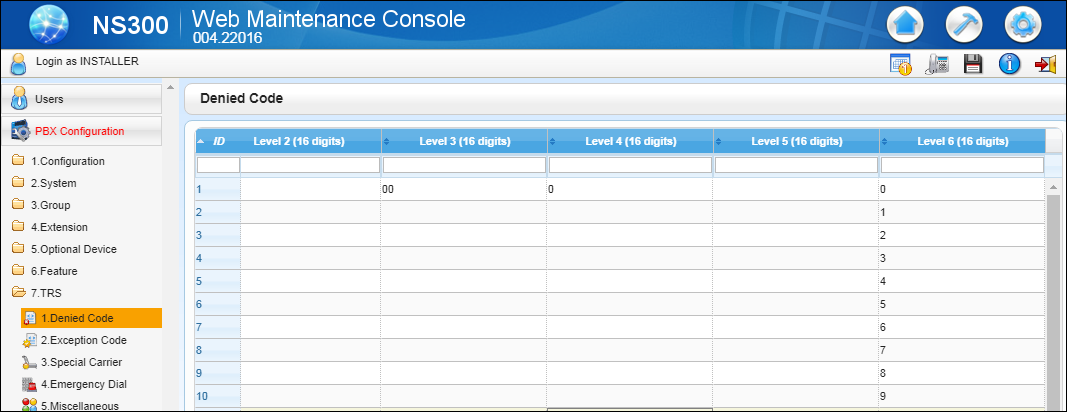
- Select Denied Code
- Enter The Settings as below picture
- And Select Exception Code
- Enter The Settings as below picture according required you STD Code

COS-Levels
COS Level
|
Restricted
|
Allowed
|
1
|
No Restriction
|
All CO Lines/Trunk Open
(National & international Calls)
|
2
|
International Calls
|
Country where client is located
Cellular Phone Calls
Long Distance Calls(STD)
Local Calls
|
3
|
International Calls
Cellular Phone Calls
|
Boss’s Cellular Phone
Long Distance Calls(STD)
Local Calls
|
4
|
International Calls
Cellular Phone Calls
Long Distance Calls
|
Local Calls
|
5
|
All CO Lines/Trunk Block(Outgoing Calls Block)
|
Only Incoming Calls
|
6
|
-
|
-
|
7
|
All CO Lines/Trunk Block(Outgoing
Calls Block)
|
Only Intercom
|
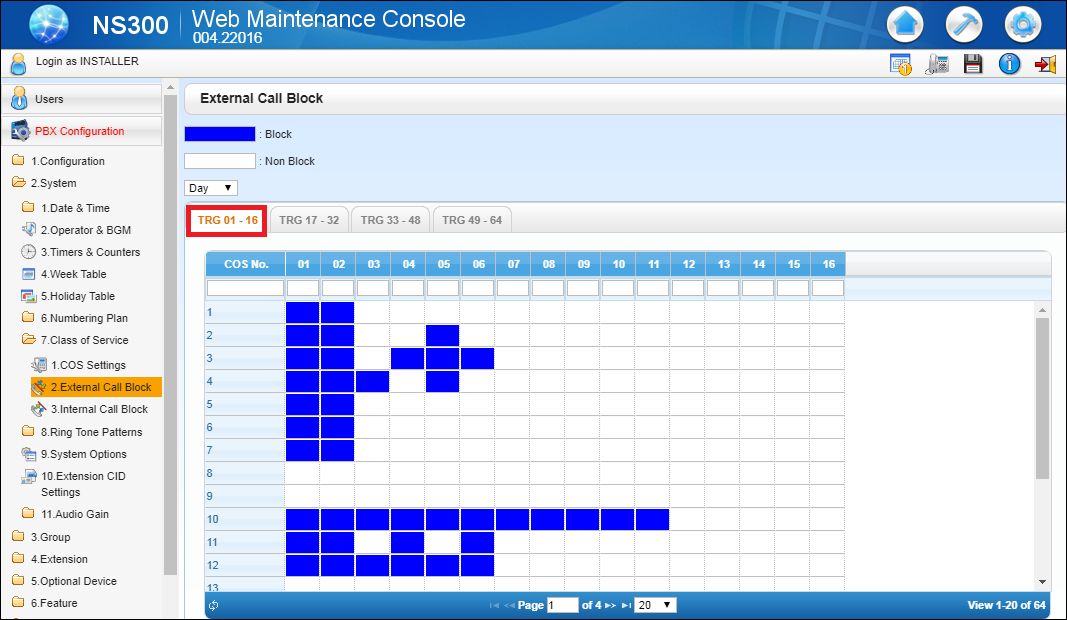
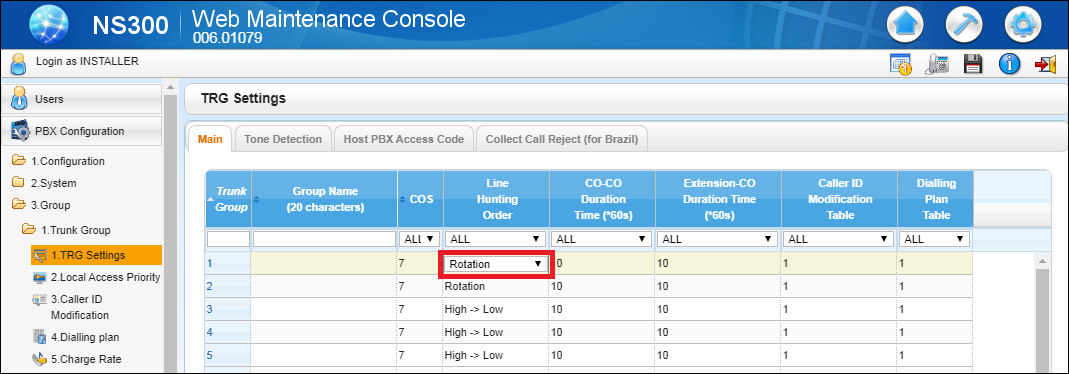
- Again Go to PBX configuration
- Expand System
- Go to Class of Service
- Select CO Settings
- Go to TRS





Comments
Post a Comment
Please do not enter spam link.